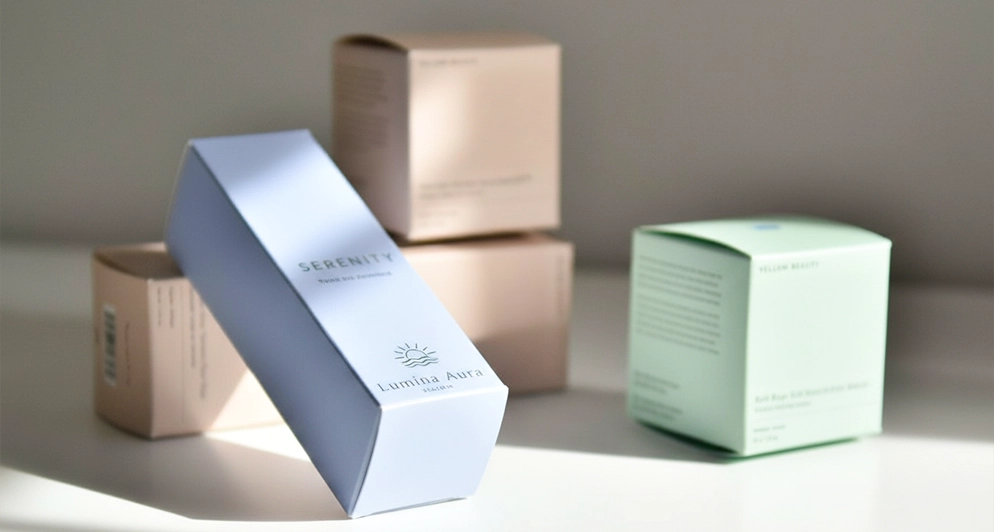
Packaging artwork is not a flat design job. The file has to survive being folded, glued and cut, which means the layout is dictated by the structure. Work in this order and most reprints disappear.
Step one: get the dieline first
A dieline is the flat blueprint of the box: every panel, every fold, every glue tab and every cut, drawn to size. Design on top of it, on a separate layer, and you can see immediately that your logo is landing on a fold or that the ingredient panel is on the side that faces the wall. Design without it and you are guessing. Ask for the dieline before you start, not after the design is approved internally.
Step two: set the file up correctly
| Setting | What to use |
|---|---|
| Bleed | 1/8 in (0.125 in) beyond every outside edge that prints to the edge |
| Safety margin | At least 1/8 in inside the trim, and more for anything you care about |
| Image resolution | 300 ppi at final printed size, not at the size the image happens to be |
| Color | CMYK, plus named spot colors for exact brand matches, foil and specialty inks |
| Type | Fonts converted to outlines, or supplied with the file |
| Dieline layer | Vector, on its own named layer, in a spot color set to overprint, and not flattened into the art |
| File format | Layered AI, PDF or EPS with the dieline intact |
Step three: design around the structure
Three structural rules save most jobs. Keep text and logos clear of the score lines, because a fold through type makes it hard to read and cracks the ink. Watch continuity across panels: artwork that flows from the front to the side has to allow for the fold eating a fraction of the image. And remember that panels have jobs. The front sells, the back informs, the side is where the barcode and the small print usually live, and the base is where nobody looks.
What actually breaks on press
- Tiny reversed type. White text out of a dark solid fills in at small sizes. Go larger, or reverse out of a lighter color.
- Plain 100% black on large areas. It looks flat and washed out. A rich black built with additional inks reads as properly dark.
- Hairlines. Very thin rules can drop out entirely.
- Gradients across a fold. The crease interrupts the gradient and draws attention to itself.
- Barcodes over a score, a curve or a dark background. All three can stop a scanner reading them.
- RGB images left in the file. They will convert, and the conversion may not look like your screen.
Step four: read the proof properly
A digital proof is issued before anything prints. Read it as a layout check, not a color check: confirm that every panel has the right content, that the barcode is intact, that legal and ingredient text is complete and correctly placed, and that nothing important is sitting on a fold. Screens are backlit and paper is not, so treat on screen color as an indication and ask about a match if an exact brand color is critical. This is also the moment to have whoever owns the legal or regulatory text sign it off, because after this it is printed.
If you do not have a designer
Design support is included with your order, and so is the dieline. Send a logo, your text and any reference images and we will lay it out on the blank and send a proof. That is enough to get a first run made properly.
Send your files
Attach what you have to the quote form, even if it is only a logo. For the structural background see what is a dieline, for the print method decision see offset versus digital printing, and for metallic effects see foil stamped boxes.